Front desk
Calendar with appointment profiles and statuses, patient registration, insurance cards, eligibility checks, copays at check-in.
Training EHR + practice clearinghouse
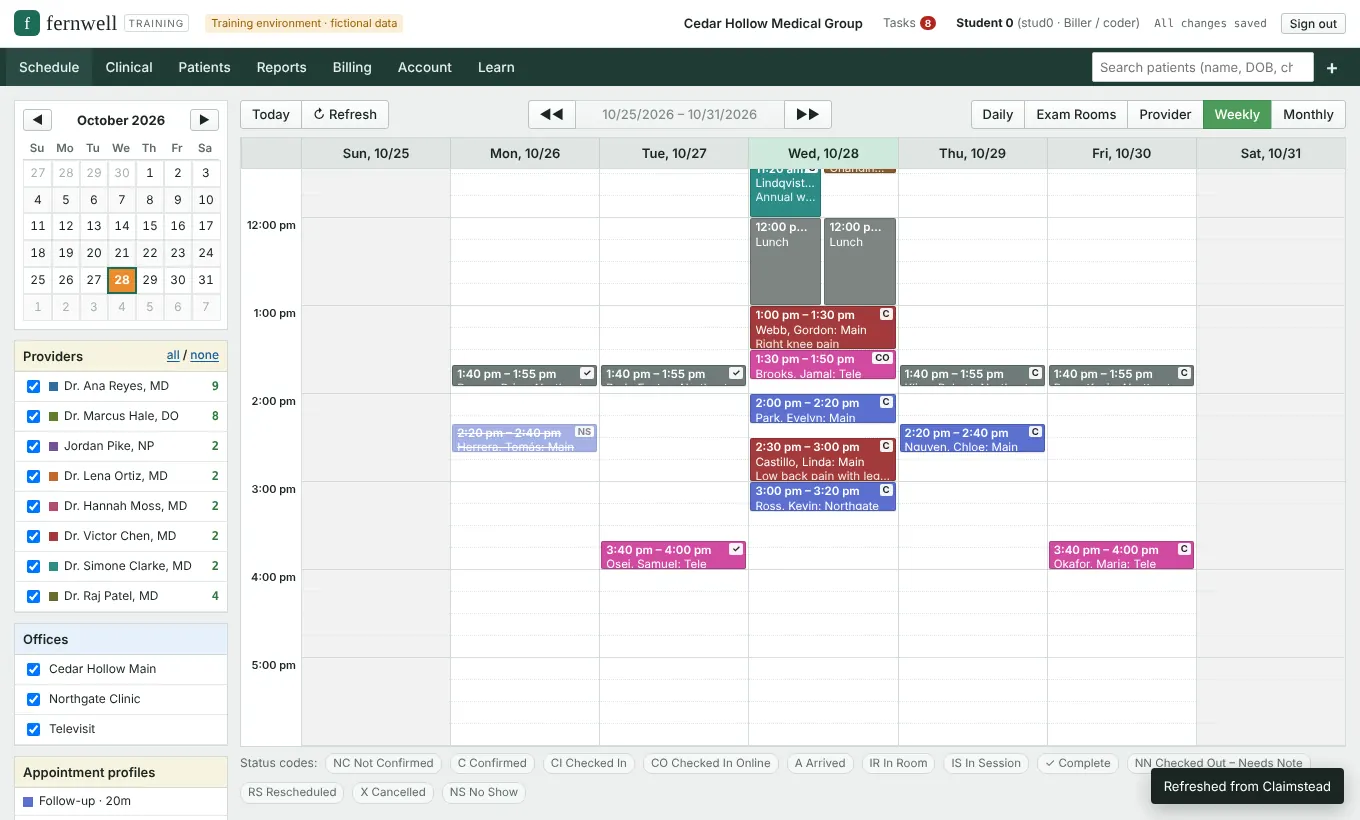
Fernwell gives medical billing, coding and front-office students a full practice EHR and a connected clearinghouse. They book visits, verify eligibility, code, submit claims, read ERAs and work denials, all on fictional patients with simulated payer responses.
How it works
Students work a clinic day in Cedar Hollow Medical Group, a fictional practice with providers, patients and a payer mix. Each step feeds the next, so a typo at registration really does come back as a rejection.
Calendar with appointment profiles and statuses, patient registration, insurance cards, eligibility checks, copays at check-in.
Rooming, vitals, medications, allergies, lab orders and results, prior authorization requests.
SOAP notes with templates and macros, ICD-10-CM and CPT selection, E/M levels, modifiers, signing.
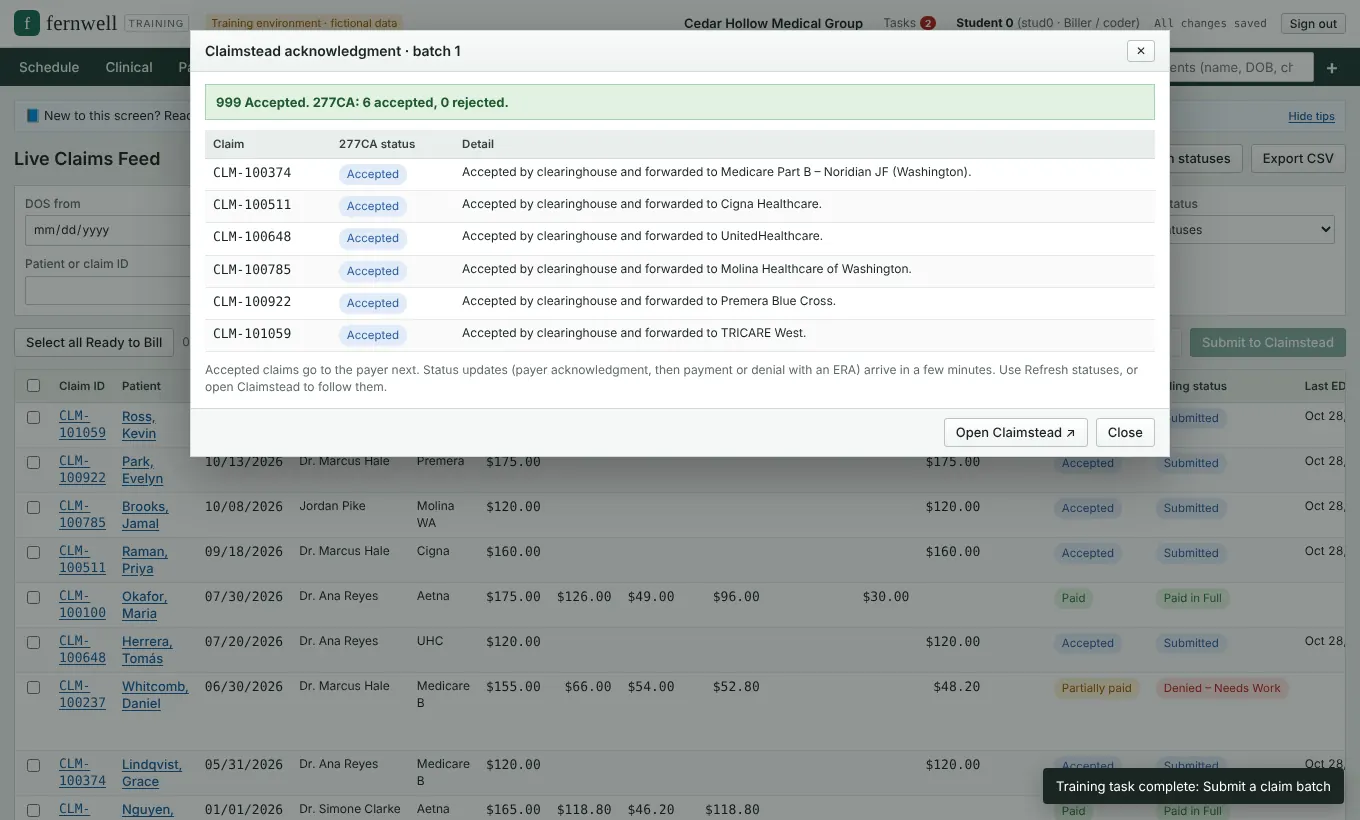
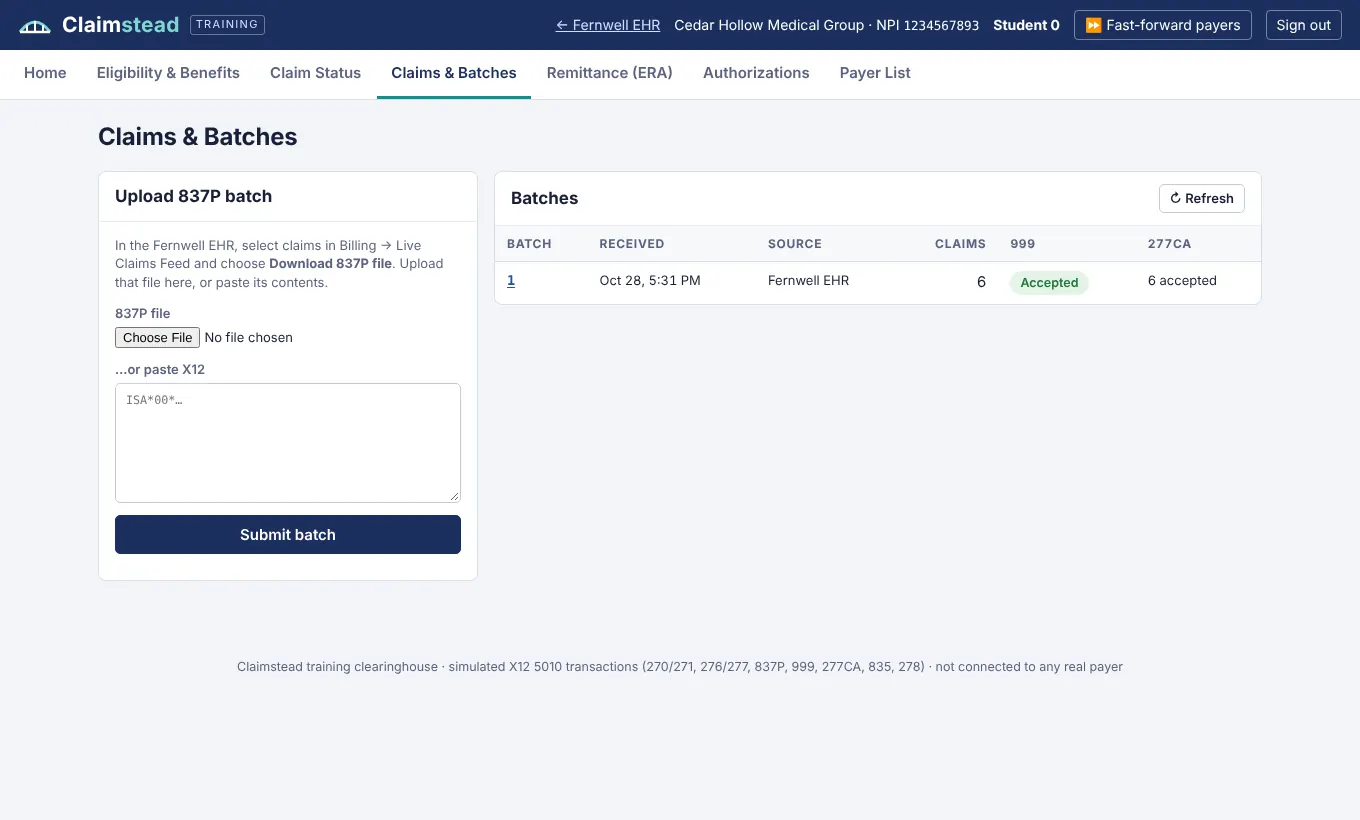
Charge review, claim scrubbing, 837P batches, 999 and 277CA, ERA posting with CARC/RARC codes, denials, corrected claims, secondary claims, statements, aging.
Included: Claimstead clearinghouse
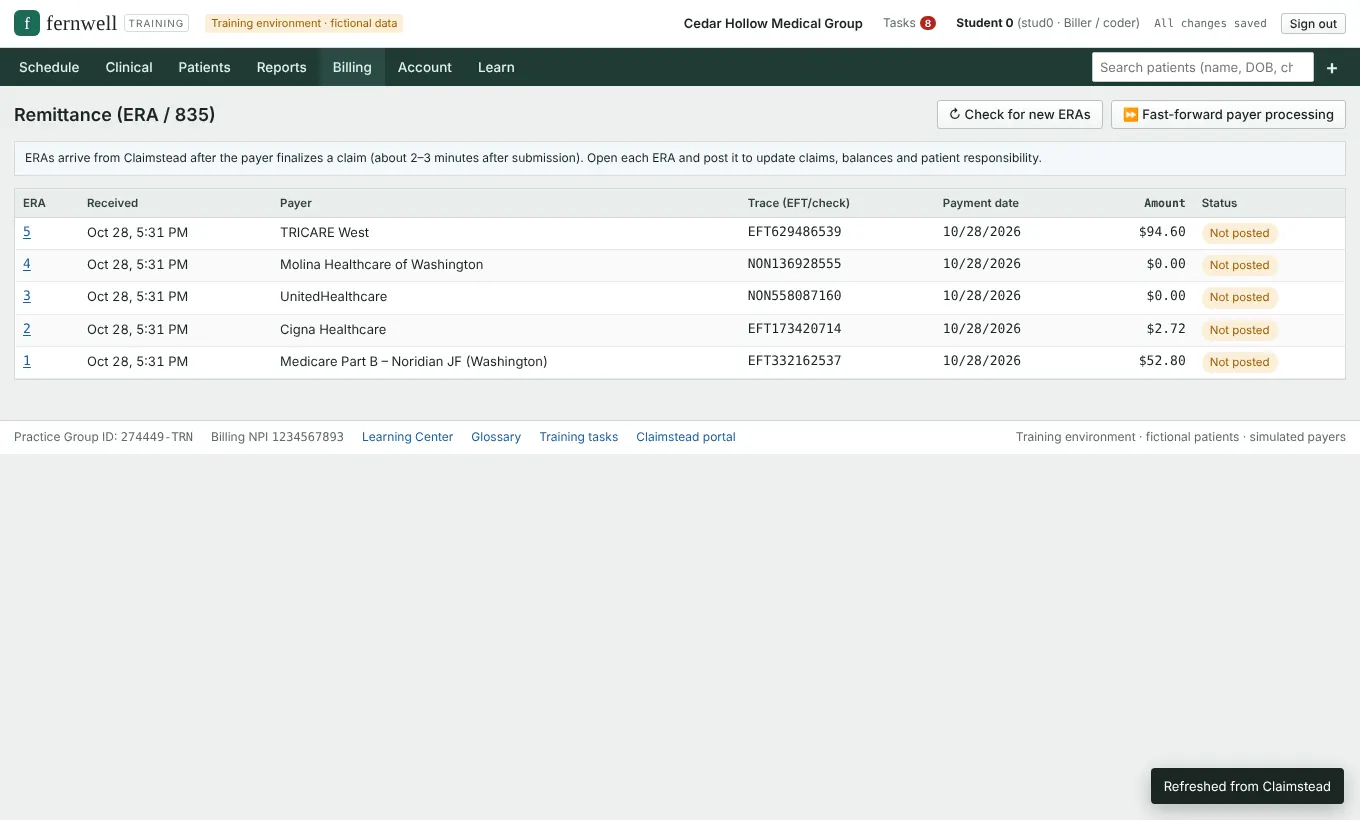
Most training EHRs stop at "claim created". Fernwell keeps going. Claims travel to Claimstead, our training clearinghouse, and come back the way they do in a real office.
Claimstead is a simulation. It is not connected to any real payer or clearinghouse, and payer names are used only to make the practice realistic.
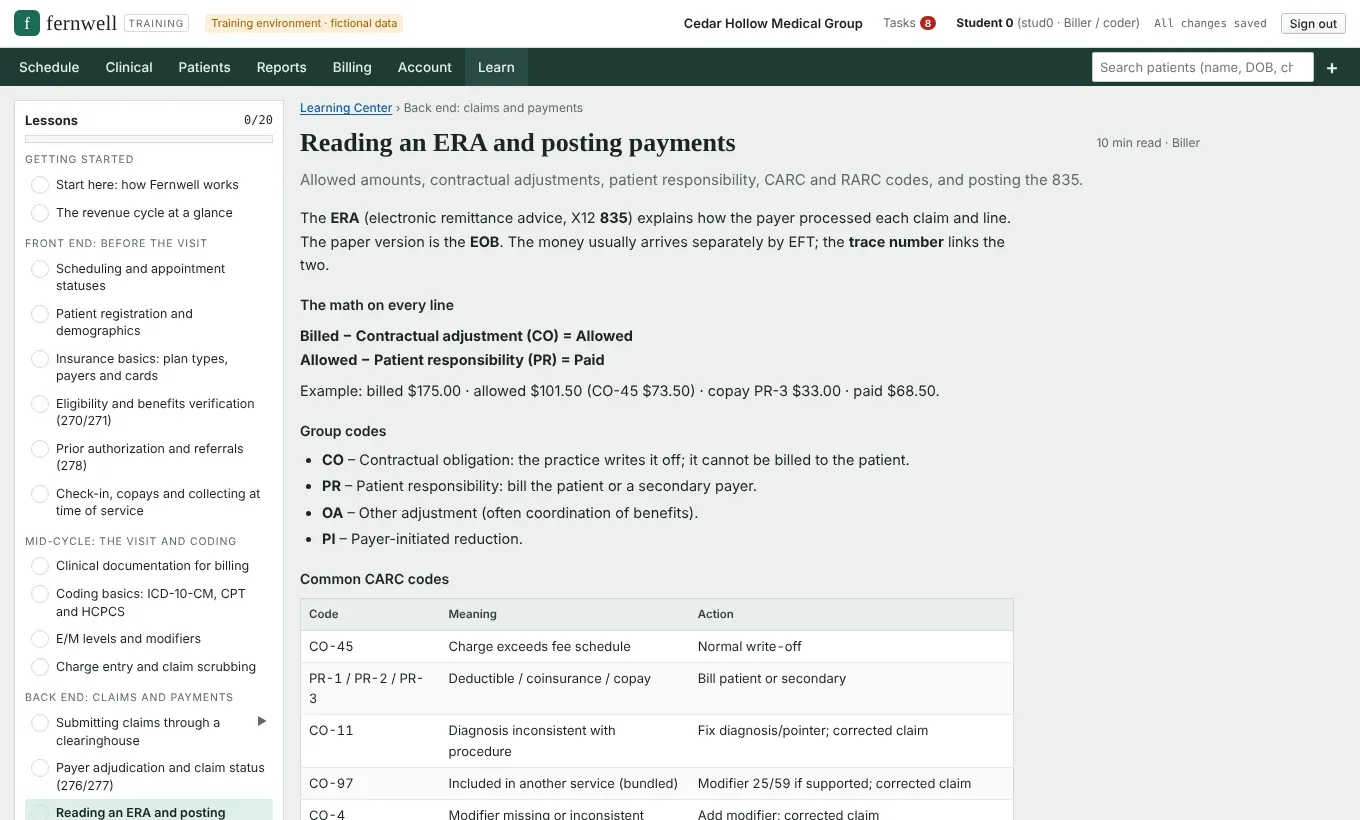
Learning Center
Each lesson explains one step of medical billing and the revenue cycle, then points students to the exact Fernwell screen and practice task for it.
For schools and instructors
Each school gets a code and a sign-up link. Students request access with it, and you approve them from your dashboard.
Licenses have a seat count and an end date. Student access ends with the term, and you can free a seat when someone leaves.
See tasks finished, lessons read, notes signed, claims sent, paid and rejected for every student.
Worked answers for the sample clinic's cases, plus the steps for every training task.
Reset a student's practice data so they can repeat a scenario, or start a new cohort clean.
Each student works in their own copy of the clinic. Instructors see only their own school.
Pricing
Every plan includes the full EHR, Claimstead, the Learning Center and the glossary.
$29/ month
or $149 per year
Most popular
$69/ student / term
or $99 per student per year
Custom
for colleges, career schools and employers
Prices in USD. Schools can try Fernwell with a short pilot before buying seats.
No. Every patient, provider and claim in Fernwell is fictional, and every payer response is simulated. Students must never enter real patient information.
No. Claimstead is a training clearinghouse. It reproduces the formats and responses of real transactions (270/271, 276/277, 278, 837P, 999, 277CA, 835) without connecting to anyone.
A current web browser on a computer. Fernwell works on tablets too, though billing screens are easiest on a larger display.
Medical billing and coding, medical office administration, medical assistant and health information programs, plus self-learners preparing for a first billing job.
Yes. Your Fernwell administrator can attach a video link to any lesson, and it plays inside the Learning Center.
Share your school's sign-up link or join code. Students request access with it, and you approve them from the instructor dashboard.
No. Fernwell is a practice environment that supports your curriculum. It is not a credential or a certification exam.
Get in touch
Tell us about your program and we will set up a walkthrough and a pilot account for your instructors.
Prefer email? hello@fernwellehr.com
Already have an account? Sign in to Fernwell or open Claimstead.